Skip to product information
1 of 6

null

PD 8‑in‑1 style hub

PD 8‑in‑1 style hub

Regular price R 1,299.00 ZAR
Regular price Sale price R 1,299.00 ZAR
Sale Sold out
Shipping calculated at checkout.
Color
Model
Quantity

Description

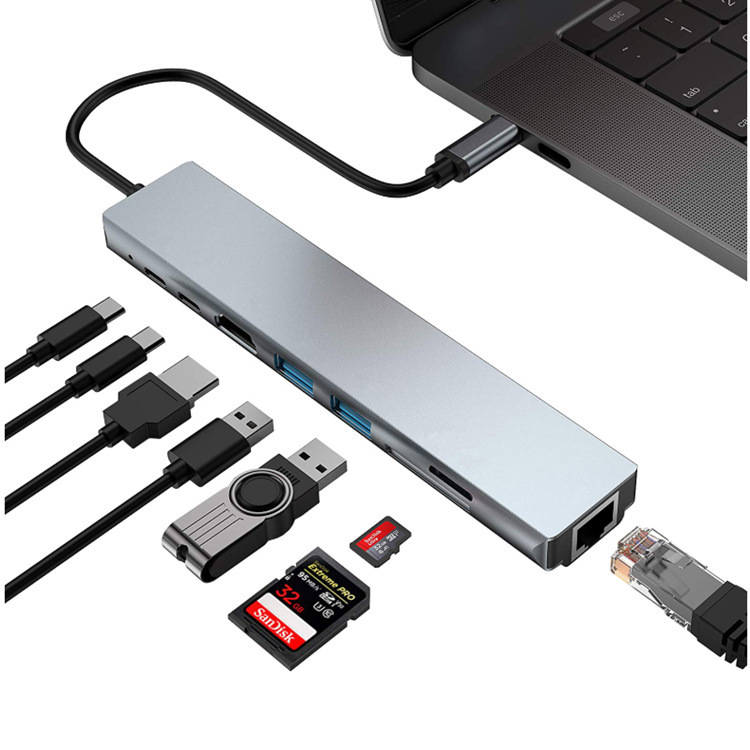
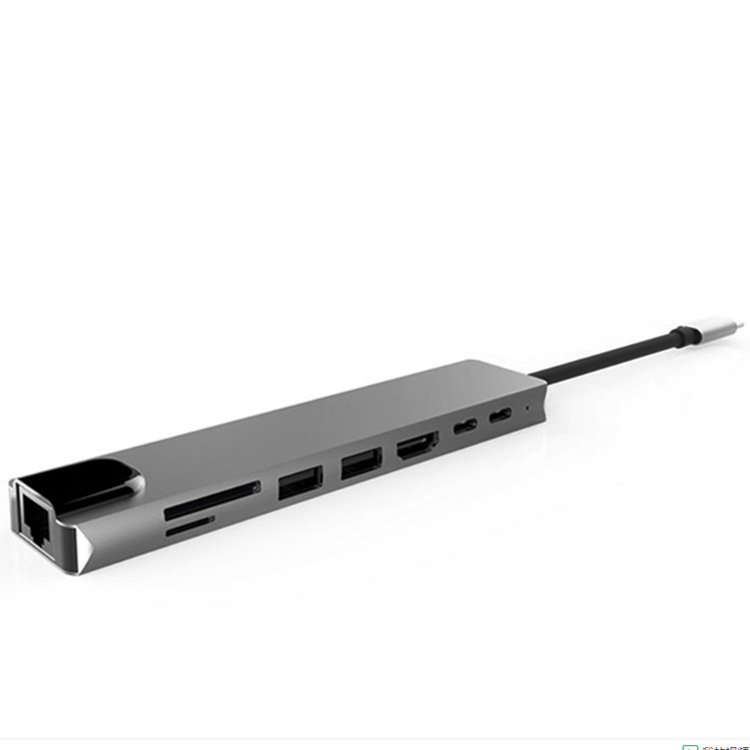
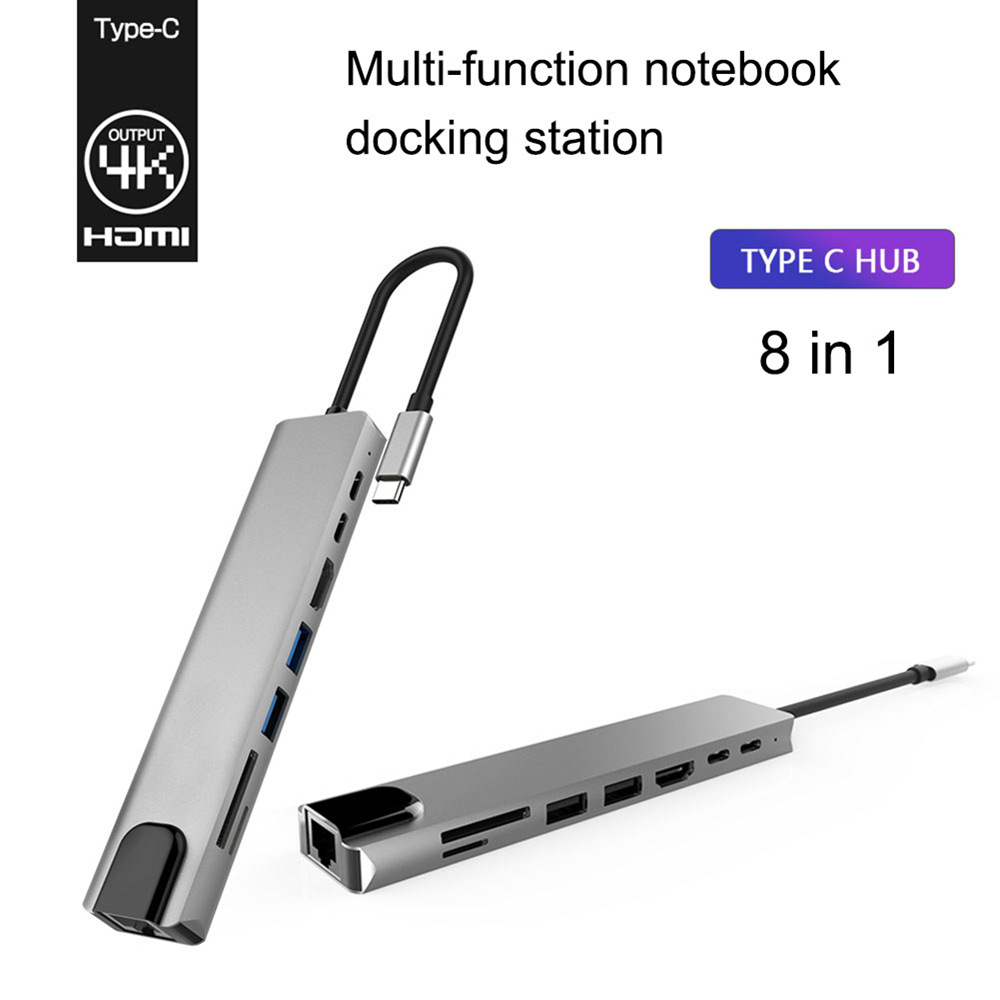
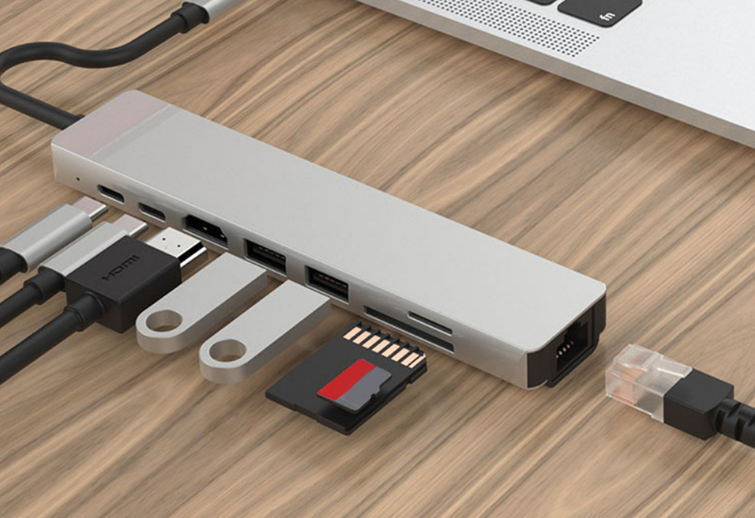
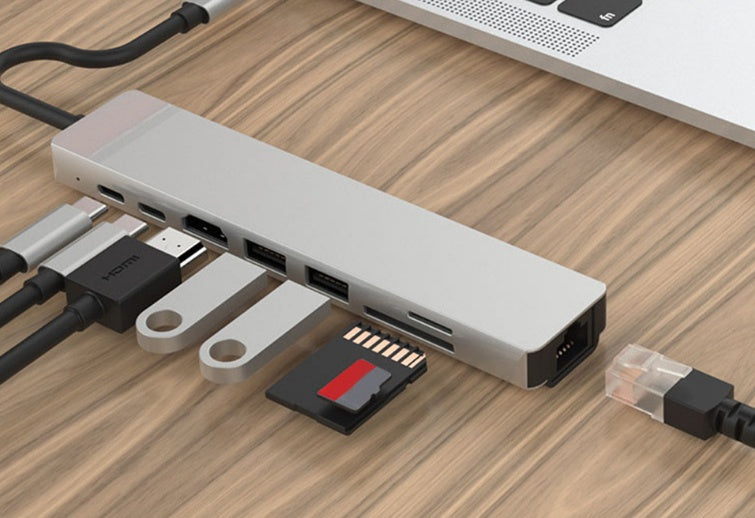
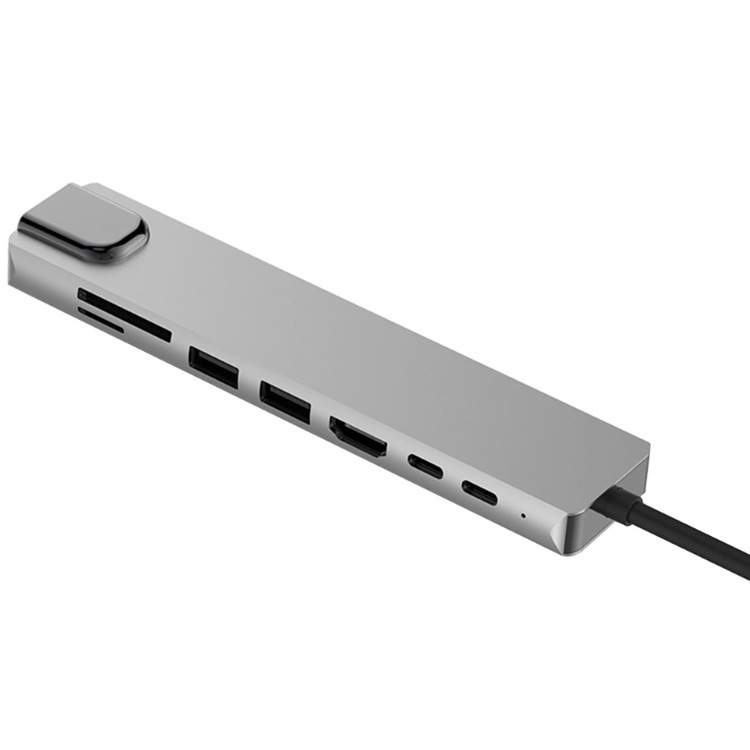
A typical unit is a small, travel‑friendly 8‑in‑1 style hub that plugs into a laptop’s USB‑C port and exposes a mix of ports: 4K HDMI output, SD and microSD card readers, multiple USB‑A ports, an Ethernet jack, and a USB‑C PD input for pass‑through charging. These all‑in‑one adapters are marketed to instantly add camera card access, external displays, wired internet, and extra USB ports without a bulky dock.


Key features

  • Video output: 4K HDMI for connecting an external monitor or TV.
  • Wired networking: Ethernet port for stable, low‑latency internet.
  • Card readers: Full‑size SD plus microSD slots for direct photo/video transfers.
  • USB ports: At least one or more USB 3.0 Type‑A ports for fast data and peripherals.
  • Power Delivery: PD passthrough lets you charge the laptop while using the hub.
  • Port density and variety: Models range from compact 5–8 port hubs to larger multiport docks (some vendors offer 14‑port professional hubs for heavy desktop setups) — choose based on how many devices you need to connect.


Why customers choose it

  • Simplicity: One small adapter replaces multiple dongles and keeps the desk tidy.
  • Single‑cable workflow: Plugging a single USB‑C cable restores display, network, storage access, and power — ideal for hot‑desking and travel.
  • Reliable internet: Built‑in Ethernet is preferred for video calls, large uploads, and gaming where Wi‑Fi is inconsistent.
  • Direct media access: Photographers and videographers value the SD/microSD slots for fast, native transfers without extra readers.
  • Cost and portability: Hubs are far cheaper and lighter than full docking stations while covering the most common needs.
  • Compatibility: Works across Windows, macOS, and many Android devices that support USB‑C host mode.

Product information:

Custom processing: Yes 
Whether external power supply: no external power supply
Number of interfaces: 8 port
Weight: 80g
With packaging weight: 95g
Packing size: 17*7*1.5cm
Product packaging: color box
Product material: aluminum alloy


Packing list:

Splitter ×1
Description A typical unit is a small, travel‑friendly 8‑in‑1 style hub that plugs into a laptop’s USB‑C port and exposes a mix of ports: 4K HDMI output, SD and microSD card readers, multiple USB‑A ports, an Ethernet jack, and a USB‑C PD input for pass‑through charging. These all‑in‑one adapters are marketed to instantly add camera card access, external displays, wired internet, and extra USB ports without a bulky dock.  Key features - Video output: 4K HDMI for connecting an external monitor or TV. - Wired networking: Ethernet port for stable, low‑latency internet. - Card readers: Full‑size SD plus microSD slots for direct photo/video transfers. - USB ports: At least one or more USB 3.0 Type‑A ports for fast data and peripherals. - Power Delivery: PD passthrough lets you charge the laptop while using the hub. - Port density and variety: Models range from compact 5–8 port hubs to larger multiport docks (some vendors offer 14‑port professional hubs for heavy desktop setups) — choose based on how many devices you need to connect.  Why customers choose it - Simplicity: One small adapter replaces multiple dongles and keeps the desk tidy. - Single‑cable workflow: Plugging a single USB‑C cable restores display, network, storage access, and power — ideal for hot‑desking and travel. - Reliable internet: Built‑in Ethernet is preferred for video calls, large uploads, and gaming where Wi‑Fi is inconsistent. - Direct media access: Photographers and videographers value the SD/microSD slots for fast, native transfers without extra readers. - Cost and portability: Hubs are far cheaper and lighter than full docking stations while covering the most common needs. - Compatibility: Works across Windows, macOS, and many Android devices that support USB‑C host mode.


Description A typical unit is a small, travel‑friendly 8‑in‑1 style hub that plugs into a laptop’s USB‑C port and exposes a mix of ports: 4K HDMI output, SD and microSD card readers, multiple USB‑A ports, an Ethernet jack, and a USB‑C PD input for pass‑through charging. These all‑in‑one adapters are marketed to instantly add camera card access, external displays, wired internet, and extra USB ports without a bulky dock.  Key features - Video output: 4K HDMI for connecting an external monitor or TV. - Wired networking: Ethernet port for stable, low‑latency internet. - Card readers: Full‑size SD plus microSD slots for direct photo/video transfers. - USB ports: At least one or more USB 3.0 Type‑A ports for fast data and peripherals. - Power Delivery: PD passthrough lets you charge the laptop while using the hub. - Port density and variety: Models range from compact 5–8 port hubs to larger multiport docks (some vendors offer 14‑port professional hubs for heavy desktop setups) — choose based on how many devices you need to connect.  Why customers choose it - Simplicity: One small adapter replaces multiple dongles and keeps the desk tidy. - Single‑cable workflow: Plugging a single USB‑C cable restores display, network, storage access, and power — ideal for hot‑desking and travel. - Reliable internet: Built‑in Ethernet is preferred for video calls, large uploads, and gaming where Wi‑Fi is inconsistent. - Direct media access: Photographers and videographers value the SD/microSD slots for fast, native transfers without extra readers. - Cost and portability: Hubs are far cheaper and lighter than full docking stations while covering the most common needs. - Compatibility: Works across Windows, macOS, and many Android devices that support USB‑C host mode.


Description A typical unit is a small, travel‑friendly 8‑in‑1 style hub that plugs into a laptop’s USB‑C port and exposes a mix of ports: 4K HDMI output, SD and microSD card readers, multiple USB‑A ports, an Ethernet jack, and a USB‑C PD input for pass‑through charging. These all‑in‑one adapters are marketed to instantly add camera card access, external displays, wired internet, and extra USB ports without a bulky dock.  Key features - Video output: 4K HDMI for connecting an external monitor or TV. - Wired networking: Ethernet port for stable, low‑latency internet. - Card readers: Full‑size SD plus microSD slots for direct photo/video transfers. - USB ports: At least one or more USB 3.0 Type‑A ports for fast data and peripherals. - Power Delivery: PD passthrough lets you charge the laptop while using the hub. - Port density and variety: Models range from compact 5–8 port hubs to larger multiport docks (some vendors offer 14‑port professional hubs for heavy desktop setups) — choose based on how many devices you need to connect.  Why customers choose it - Simplicity: One small adapter replaces multiple dongles and keeps the desk tidy. - Single‑cable workflow: Plugging a single USB‑C cable restores display, network, storage access, and power — ideal for hot‑desking and travel. - Reliable internet: Built‑in Ethernet is preferred for video calls, large uploads, and gaming where Wi‑Fi is inconsistent. - Direct media access: Photographers and videographers value the SD/microSD slots for fast, native transfers without extra readers. - Cost and portability: Hubs are far cheaper and lighter than full docking stations while covering the most common needs. - Compatibility: Works across Windows, macOS, and many Android devices that support USB‑C host mode.


Description A typical unit is a small, travel‑friendly 8‑in‑1 style hub that plugs into a laptop’s USB‑C port and exposes a mix of ports: 4K HDMI output, SD and microSD card readers, multiple USB‑A ports, an Ethernet jack, and a USB‑C PD input for pass‑through charging. These all‑in‑one adapters are marketed to instantly add camera card access, external displays, wired internet, and extra USB ports without a bulky dock.  Key features - Video output: 4K HDMI for connecting an external monitor or TV. - Wired networking: Ethernet port for stable, low‑latency internet. - Card readers: Full‑size SD plus microSD slots for direct photo/video transfers. - USB ports: At least one or more USB 3.0 Type‑A ports for fast data and peripherals. - Power Delivery: PD passthrough lets you charge the laptop while using the hub. - Port density and variety: Models range from compact 5–8 port hubs to larger multiport docks (some vendors offer 14‑port professional hubs for heavy desktop setups) — choose based on how many devices you need to connect.  Why customers choose it - Simplicity: One small adapter replaces multiple dongles and keeps the desk tidy. - Single‑cable workflow: Plugging a single USB‑C cable restores display, network, storage access, and power — ideal for hot‑desking and travel. - Reliable internet: Built‑in Ethernet is preferred for video calls, large uploads, and gaming where Wi‑Fi is inconsistent. - Direct media access: Photographers and videographers value the SD/microSD slots for fast, native transfers without extra readers. - Cost and portability: Hubs are far cheaper and lighter than full docking stations while covering the most common needs. - Compatibility: Works across Windows, macOS, and many Android devices that support USB‑C host mode.


Description A typical unit is a small, travel‑friendly 8‑in‑1 style hub that plugs into a laptop’s USB‑C port and exposes a mix of ports: 4K HDMI output, SD and microSD card readers, multiple USB‑A ports, an Ethernet jack, and a USB‑C PD input for pass‑through charging. These all‑in‑one adapters are marketed to instantly add camera card access, external displays, wired internet, and extra USB ports without a bulky dock.  Key features - Video output: 4K HDMI for connecting an external monitor or TV. - Wired networking: Ethernet port for stable, low‑latency internet. - Card readers: Full‑size SD plus microSD slots for direct photo/video transfers. - USB ports: At least one or more USB 3.0 Type‑A ports for fast data and peripherals. - Power Delivery: PD passthrough lets you charge the laptop while using the hub. - Port density and variety: Models range from compact 5–8 port hubs to larger multiport docks (some vendors offer 14‑port professional hubs for heavy desktop setups) — choose based on how many devices you need to connect.  Why customers choose it - Simplicity: One small adapter replaces multiple dongles and keeps the desk tidy. - Single‑cable workflow: Plugging a single USB‑C cable restores display, network, storage access, and power — ideal for hot‑desking and travel. - Reliable internet: Built‑in Ethernet is preferred for video calls, large uploads, and gaming where Wi‑Fi is inconsistent. - Direct media access: Photographers and videographers value the SD/microSD slots for fast, native transfers without extra readers. - Cost and portability: Hubs are far cheaper and lighter than full docking stations while covering the most common needs. - Compatibility: Works across Windows, macOS, and many Android devices that support USB‑C host mode.


View full details